

A strong claim. A source behind it.
Coordinate narrative, budget and evidence around a version your team can review and approve.
Request a demo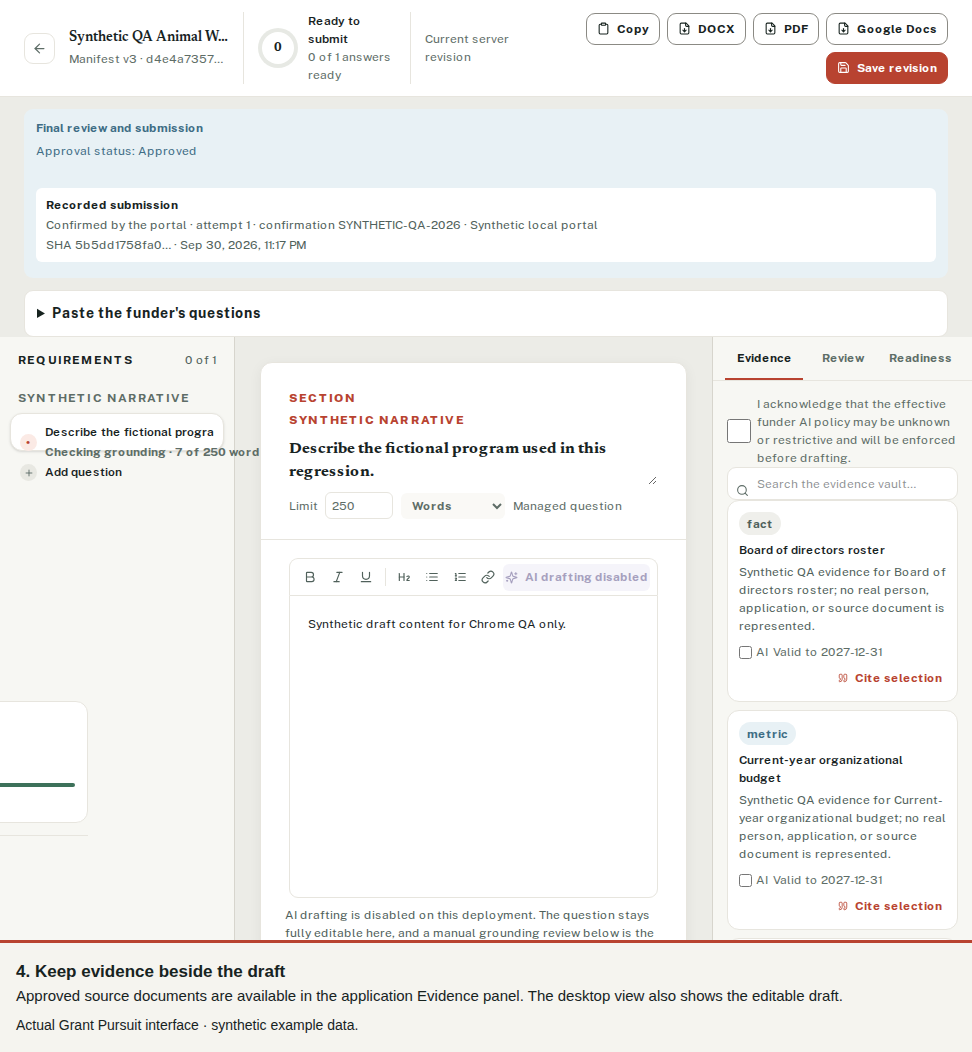
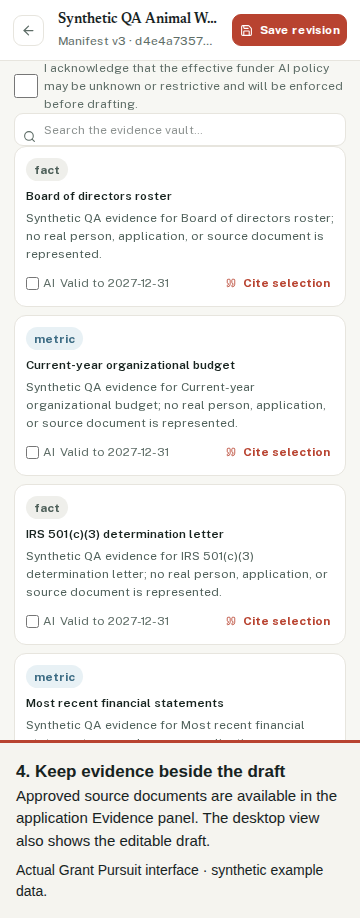
The application keeps approved source material available while a question is edited. AI drafting is disabled in the inspected configuration; the team writes and reviews the content.
Open full-size desktop application evidence →Open full-size mobile application evidence →Approval travels with the revision.
A polished draft is not the same as an approved application. Keep the review and submission steps explicit.
- 01
Bring evidence in
Use material your organization has reviewed. Flag unsupported claims before final review.
- 02
Review together
Writers, budget owners and authorized approvers check the defined revision. Edits after approval require fresh review.
- 03
Submit with care
Your team follows current funder instructions and handles final submission. Keep the receipt with the approved version.
Know which revision was reviewed.
The actual approval queue identifies the manifest and review gates. A recorded approval does not send work to the funder; your team handles submission.
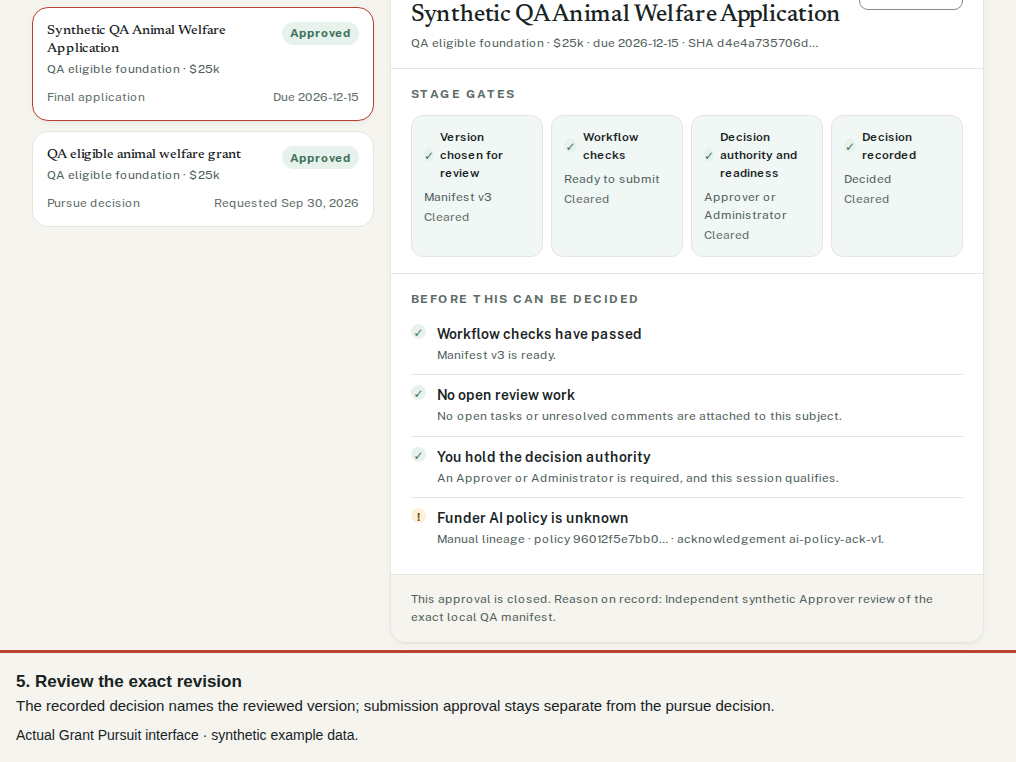
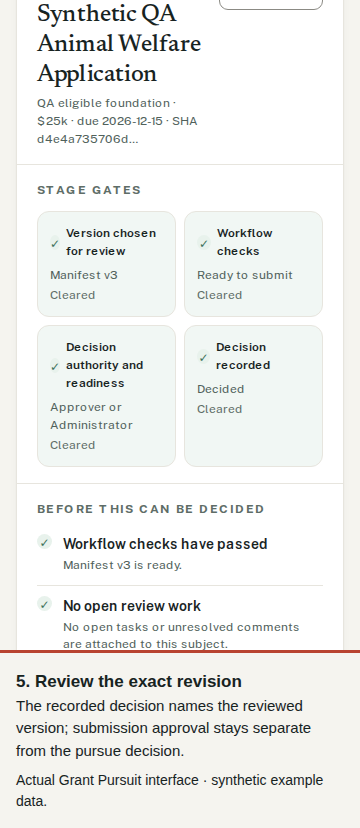
Manifest v3 and its review gates appear in the recorded application decision. A separate authorized Approver reviewed the Admin-authored revision.
Open full-size desktop approval of a defined revision →Open full-size mobile approval of a defined revision →Walk through evidence and approval.
See how sources, revisions and review decisions stay connected before submission.